Logging in to CasperBets Casino is quick and straightforward, whether you prefer classic credentials or one-click access. From the header Sign in button, you’ll open the secure login window where you can enter your details, recover a forgotten password, or use a connected account to get back into the lobby in seconds.
How to Sign In to Casper Bets Casino
To access your account, follow these simple steps:
- Click Sign in (top-right of the website).
- In the login pop-up, choose your preferred login method:
- Username or Email + Password, or
- Google / Twitch one-click sign-in.
- Hit Login to enter your account and continue playing.
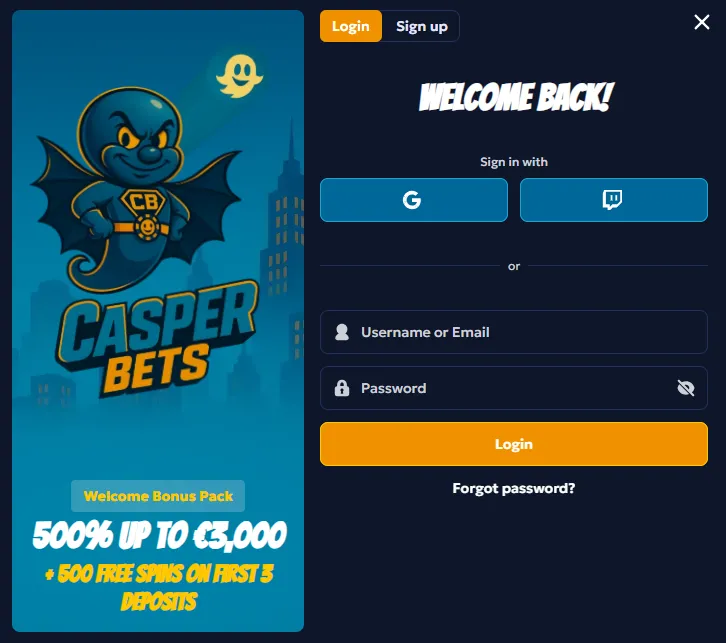
What you’ll see on the login form:
- Field: Username or Email
- Field: Password (with an eye icon to show/hide characters)
- Button: Login
- Link: Forgot password?
- Tabs: Login / Sign up (to switch if you don’t have an account yet)
Login Options: Classic vs One-Click
CasperBets supports multiple sign-in routes, so you can choose the most convenient:
1) Username or Email + Password
Best for players who want full control over account credentials.
Tips for a smooth login:
- Make sure you’re using the same username/email you registered with.
- Double-check caps lock and keyboard language when entering your password.
- Use the show/hide password icon to avoid typos.
2) Sign in with Google or Twitch
Prefer faster access? Use the Google or Twitch button for quick authentication.
When it’s useful:
- You don’t want to type passwords on mobile
- You want a quicker login flow
- You prefer using connected accounts
Forgot Your Password? Here’s What to Do
If you can’t remember your password, use the built-in reset option:
- Click Forgot password?
- Follow the recovery steps provided in the prompt
- Set a new password and return to the login screen
Password reset tips:
- Check your spam/junk folder if you don’t see the recovery email quickly
- Make sure your inbox has space to receive messages
- If you used social sign-in (Google/Twitch), try logging in via that method first
Sign up at CasperBets UK
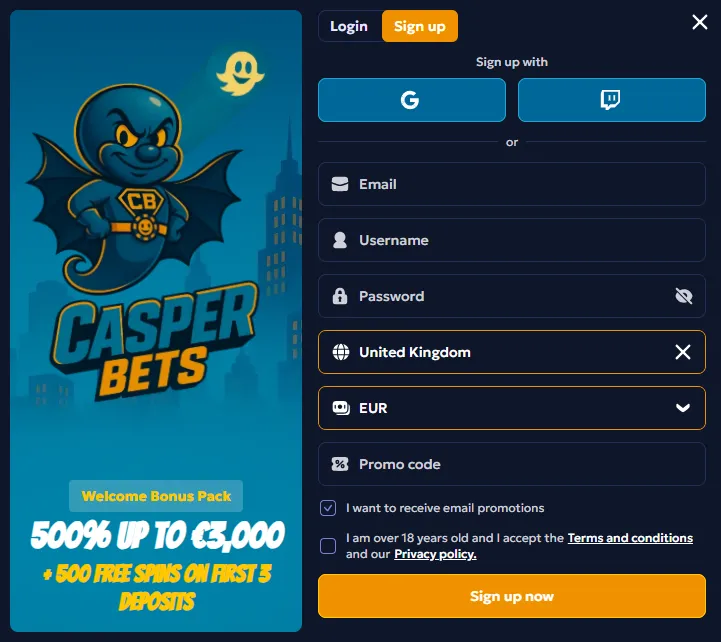
Creating an account at CasperBets is straightforward and usually takes only a couple of minutes. Click Sign up in the top-right corner of the website and complete the registration form with your basic details. Once your profile is created, you can explore the Casino and Sports sections, open the Promotions area, and manage your balance via the cashier.
To make the process smooth, follow these steps:
- Open the registration form: press Sign up on the header.
- Enter your account details: fill in the required fields (such as contact and login information).
- Confirm your registration: submit the form and complete any necessary verification steps.
- Log in to your new account: use the Sign in button to access your profile.
- Get ready to play: visit the cashier to fund your balance and check available promotions.
After signing up, you can immediately browse games, place bets, and claim bonuses directly from your profile—plus keep track of your rewards and any ongoing offers in the Promotions area.
Common Casper Bets Login Issues and Fixes
If you can’t sign in, these quick checks solve most problems:
- Wrong credentials: try entering your email instead of username (or vice versa).
- Password not accepted: reset it using Forgot password?
- Browser issues: refresh the page, clear cache, or try incognito mode.
- Blocked pop-up/window: allow pop-ups if the login form doesn’t open correctly.
- Slow loading: switch networks or try again on a stable connection (especially for Live Casino).
Keeping Your Casper Bets UK Account Secure
A smooth login experience also means smart security habits:
- Use a unique password (avoid reusing passwords from other sites)
- Don’t share your login details with anyone
- Log out on shared devices
- Use Google/Twitch sign-in if you prefer trusted authentication flows
- If something feels off, contact support via the site’s help/chat options
CasperBets Login FAQ
Can I log in with email instead of username?
Yes — the login field accepts Username or Email.
Does CasperBets support one-click login?
Yes — you can sign in using Google or Twitch.
What if I forgot my password?
Use Forgot password? inside the login window and follow the recovery steps.
I clicked “Sign in” but nothing happens — why?
Try allowing pop-ups, refreshing the page, or opening the site in incognito mode.
Ready to Sign In?
Use the Sign in button on CasperBets to open the login form, choose your method (classic or one-click), and get straight back to the games, live tables, missions, and sportsbook.